
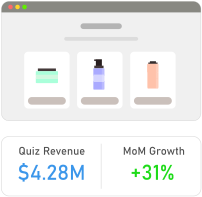
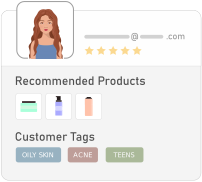

Convert casual shoppers into confident buyers with a product recommendation quiz built for Squarespace Commerce.
RevenueHunt is a no-code product recommendation quiz that works with any Squarespace Commerce site. Guide every shopper to the right product, capture zero-party data your marketing team can actually use, and link results back to your Squarespace product pages so cart and checkout stay native to Squarespace.
Most Squarespace merchants ship their first quiz in under 30 minutes. The quiz lives on a quiz-builder-hosted page or embeds directly inside your Squarespace site as a code block - your call.
- Boost sales – Guide shoppers to a curated 2 to 5 product result instead of an overwhelming “shop all” page.
- Collect actionable data – Tag every quiz-taker for segmented email and ad campaigns afterwards.
- Sync your Squarespace catalog – Connect via product CSV export so the quiz always recommends in-stock items at the right price.
- Match your brand – Customize fonts, colors, padding, and CSS so the quiz feels like part of your Squarespace template, not a third-party widget.
- Premium support – Work with one of our account managers to plan and launch your first quiz.
How Squarespace product recommendation quizzes work
A shopper opens the quiz (inline embed, popup, or dedicated landing page hosted on a Squarespace page) and answers 4 to 8 short questions about what they need. Conditional logic skips irrelevant questions automatically.
When the quiz ends, RevenueHunt scores each answer against your Squarespace product catalog and returns the 2 to 5 best matches with a personalized explanation per product. Shoppers click through to your Squarespace product detail pages, where they add to cart natively. Every event (quiz started, question answered, result viewed, click-through) fires to GA4, Meta Pixel, and your email platform.
The quiz embed is lightweight - typically under 50KB of JavaScript - so it doesn’t impact Squarespace’s Core Web Vitals scores or the site’s mobile performance budget.
What’s different about quizzes on Squarespace
Squarespace’s strength is design-driven sites for portfolio, content-heavy, and small-catalog Commerce stores. The quiz integration plays to that strength: the embedded quiz inherits your Squarespace fonts and color palette by default, so it looks like a native section rather than a bolted-on tool.
Squarespace’s app/extension ecosystem is smaller than Shopify’s, but the Code Block primitive (and Custom Code Injection on Business plans and above) gives you enough surface to embed the quiz cleanly. The trade-off: you’ll need a Squarespace Business plan or higher to use Code Block injection. Personal-plan stores can still link out to a quiz-builder-hosted page (which works fine - many merchants prefer the dedicated landing page anyway, since it converts better than an embed for paid traffic).
See it live
Take a quiz before you build your own. Every quiz on our demo store is a working example you can complete end-to-end:
- Skincare quiz - visual branching, multi-product results
- Jewellery quiz - style-preference matching
- Supplements quiz - wellness vertical
- Browse all 12 quiz examples →
The quiz behavior on Squarespace is identical to what you experience on the demo store.
How to get started
- Sign up for a RevenueHunt account
- Export your Squarespace product catalog (Squarespace → Commerce → Products → Export)
- Point the RevenueHunt quiz builder at the export or upload manually
- Pick a template, write your questions, link answers to products
- Embed the quiz in your Squarespace site via Code Block (Business plan and above) or link to the hosted page
Integrates with
- Google Analytics (GA4)
- Meta Pixel (Facebook Pixel)
- Klaviyo
- Mailchimp
- HubSpot
- Zapier
- Custom Webhooks
When is a Squarespace product recommendation quiz useful?
Squarespace Commerce stores tend to be design-led with curated catalogs of 20 to 200 SKUs. The quiz earns its keep when:
- Your catalog has variants (size, scent, style) that need personalized matching
- Your shoppers value an editorial, magazine-like buying experience - the quiz fits that aesthetic
- You’re running paid traffic to a category page and bounce rates are high
- You want to collect email addresses without a generic newsletter popup
- You sell into multiple use cases (e.g. “for me” vs “as a gift”) and want to route each shopper to the right products
Top verticals that see the strongest results on Squarespace:
- Beauty, skincare, and clean cosmetics
- Jewelry and accessories
- Specialty foods and beverages (wine, tea, coffee, olive oil)
- Home goods and decor
- Apparel and lifestyle DTC brands
Also available on
Frequently asked questions
How do I add a product recommendation quiz to my Squarespace site?
Sign up for a RevenueHunt account, upload or feed in your Squarespace product catalog, build your quiz, and embed it via a Code Block (Business plan and above) or link out to the hosted quiz page. No code experience required.
Does it work on Squarespace Personal plan?
You can use the hosted quiz page (link out from your Squarespace site) on any plan. The full inline embed requires a Squarespace Business plan or higher because that’s where Code Block injection becomes available.
Is there a free product recommendation quiz for Squarespace?
Yes - start on our free plan with 100 quiz responses per month and the full builder unlocked. Upgrade as you scale; quiz structure and shopper data persist across tiers.
How does the quiz handle Squarespace product variants?
If your catalog export includes variants, the quiz can recommend specific variants based on shopper answers. Otherwise it surfaces the parent product and shoppers pick variants natively on the Squarespace product detail page.
Will the quiz slow down my Squarespace site?
No. The embed is under 50KB of JavaScript and is lazy-loaded by default, so it doesn’t hurt Core Web Vitals. If you’re tight on performance budget, link to the hosted quiz page from a button instead of embedding.
Does it integrate with Klaviyo, GA4, and Meta Pixel?
Yes - quiz answers and recommended products are sent to Klaviyo profiles or lists for segmented flows. GA4 and Meta Pixel both receive named events (quiz_started, question_viewed, result_viewed, outbound_to_product), so you can attribute revenue and build remarketing audiences.
Need help?
Check out our documentation site for setup guides and Squarespace-specific embedding instructions.