
12 ways to promote your product recommendation quiz
12 placements that drive traffic to a product recommendation quiz, led by paid ads (2.75x cold-traffic lift). On-site, warm-audience, earned reach and conversion-lift mechanics.
To get more people to take your product recommendation quiz, treat it as a primary CTA across every customer touchpoint, not a secondary feature buried on a landing page. The 12 placements below are the channels that consistently drive measurable quiz starts on Shopify, WooCommerce, BigCommerce, Magento and Standalone, grouped by the four roles they play in the funnel: cold-traffic acquisition, on-site visibility, warm-audience activation, and conversion-lift mechanics. For the strategic framing of how the quiz fits into a complete funnel, see our step-by-step funnel build guide. For 11 real funnels that put this into practice, see our real funnel examples.
Quick answer
If you're running paid traffic on Meta, Google or TikTok, paid ads to a dedicated quiz landing page is the single highest-leverage placement on the list: cold paid traffic converts at approximately 2.75x the rate it would on a category page (RevenueHunt platform data). A worked case study below shows 9.8% cold-traffic conversion and $691K in 90 days on a $130 device.
For stores not running paid traffic (or running it alongside organic), the highest-leverage on-site placement is an auto-triggered popup 3-5 seconds after page load, followed by a nav menu link, a homepage banner, and an email broadcast to your existing list. The four together consistently produce a 5-10x lift in quiz starts versus a quiz buried on a hidden page.
Table of contents:
- Start here: paid ads to a dedicated quiz landing page
- On-site visibility: make the quiz impossible to miss
- Warm-traffic channels: the audience that already trusts you
- Earned reach: organic distribution that compounds
- Conversion-lift mechanics: layered on top of placements
- Where to start
- Frequently asked questions
Start here: paid ads to a dedicated quiz landing page
If you’re running paid traffic of any kind, this is the single highest-leverage placement on the list. Cold paid traffic converts at approximately 2.75x the rate on a quiz landing page versus a category page (RevenueHunt platform data). The mechanism is structural rather than incidental: cold paid clicks face decision fatigue on a 40-SKU catalogue and bounce; the same traffic on a quiz landing page is given a clear next action (“answer five questions, get a recommendation”), which resolves the decision-fatigue problem before asking for the purchase.
Case study: 9.8% cold-traffic conversion and $691K in 90 days
A US-based anti-ageing beauty device brand replaced their product page with a 12-step qualifying quiz funnel as the primary Meta-ads landing page. The results across 90 days:
- 72,200 quiz completions at a 75.2% completion rate (above the platform median for the category)
- 9.8% quiz-to-purchase conversion on cold Meta traffic — versus the RevenueHunt platform baseline of 5.5% pooled, 6.1% in beauty/skincare
- $691,128 in quiz-attributed revenue
- $107.16 AOV — a +42.64% lift over the prior quarter ($75.13)
The product is a $130 facial sculpting device with a complementary serum bundle. The brand sent 100% of paid social to the quiz funnel, not to a product page or collection page. The full architecture (12 steps split between data-collection questions and persuasion checkpoints, single results page, structured AOV upsells) is broken down in the anti-ageing beauty brand quiz funnel case study.
The strategic premise (quiz as the landing page, not a popup on top of a product page) is the same argument the polished pillar piece quiz funnels vs collection pages: why your paid traffic bounces makes in the abstract. The case study is the worked example.
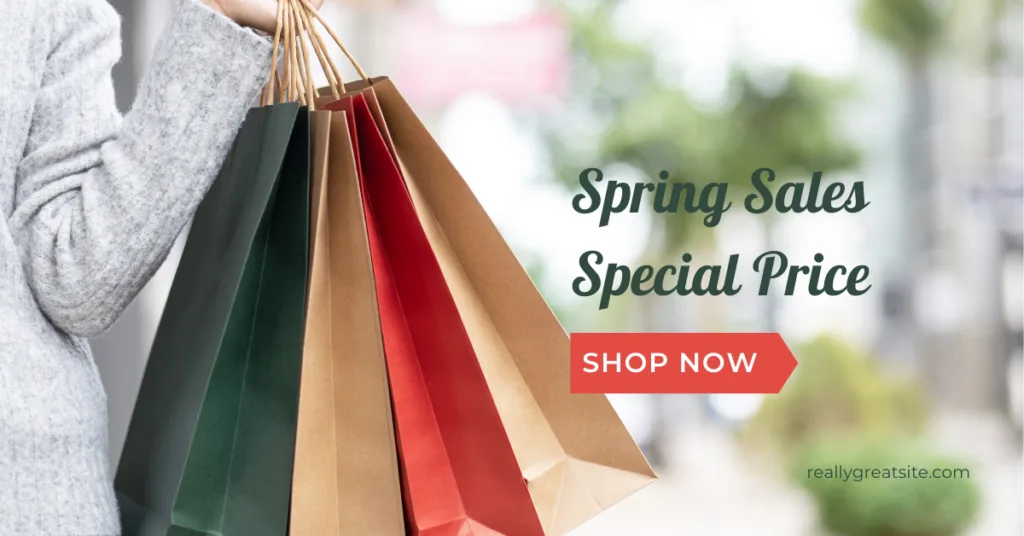
Fig. 01 A Meta ad creative driving cold paid traffic directly to a quiz landing page instead of a category page. The quiz funnel converts cold traffic at roughly 2.75x the rate of category-page traffic; the anti-ageing case study above pushed that to 9.8% on a $130 device.
How to make it work for your store
- Build a dedicated quiz landing page (its own URL), not a popup on top of a category page. Direct your paid traffic to this URL.
- Match the ad creative to the quiz promise. “Find your perfect routine” works when the ad and the quiz both deliver on that outcome.
- Single results page. The platform data is clear: 79% of top-converting quizzes use exactly one results page. Branching to multiple results pages drops conversion to 7.1%.
- Track per-campaign attribution. Tag the landing page with
utm_source/utm_campaignso per-creative ROI is measurable in GA4 or your attribution tool.
The mechanics on the Meta side are covered in detail in how to make your Facebook ads smarter with quiz audiences. Track quiz performance on the analytics side: see how to track quiz revenue in Google Analytics.
On-site visibility: make the quiz impossible to miss
Paid traffic captures the cold visitors. The placements in this section capture the visitors who arrive organically (search, direct, returning) and the ones already on your site. Three placements, all easy to set up, that compound to make the quiz the default path through the store.
Auto-triggered popup with a 3-5 second delay
The single most effective on-site placement for quiz starts, per RevenueHunt customer-success data. An auto-triggered popup catches the visitor at the moment of attention before they bounce. The right configuration:
- Trigger 3-5 seconds after page load (not immediately, which feels intrusive; not after 10 seconds, which misses bounces).
- Or trigger on scroll depth (~25-30% of page) for content-heavy stores where shoppers actually start reading.
- Always provide an obvious dismiss option. Hidden close buttons annoy visitors and trigger Google’s “intrusive interstitial” penalty.
- Match the popup to the page intent. A skincare-quiz popup on the bath-and-body collection page works; the same popup on a checkout page is the wrong moment.
The Built for Shopify version of RevenueHunt supports auto-popup as a native publish option (no developer required); the Legacy version uses an embed configuration. Setup walkthrough: how to publish your quiz.
Main navigation menu link
The single highest-visibility placement available without paid traffic. A nav link labelled “Find your routine,” “Take the quiz” or “Skin type finder” in your primary navigation gets shown on every page view. Across the platform top quizzes, mobile traffic runs 74-88% depending on category, so the mobile menu placement matters as much as the desktop one.
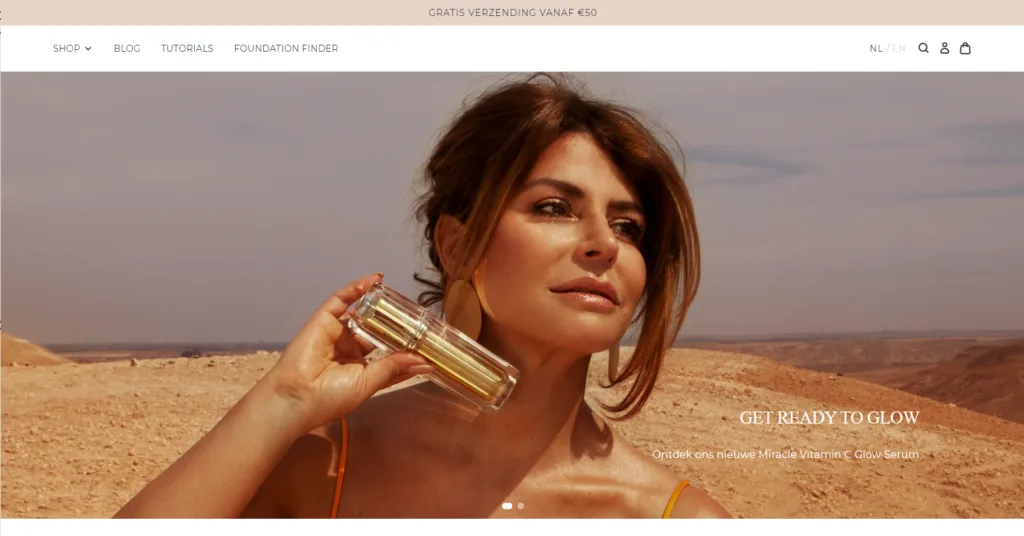
Fig. 02 A "Find your routine" link placed in the primary navigation. Visible on every page view; with 74-88% mobile traffic across top quizzes, the mobile menu treatment is as important as the desktop one.
The Built for Shopify version of RevenueHunt ships as a native theme block, so the quiz embed and the navigation link can be configured directly from the theme editor without code.
Homepage hero banner
Your homepage hero is the highest-traffic surface on your store. Replacing the generic “Shop now” hero with a quiz-led CTA (“Find your perfect routine in 60 seconds”) routes cold traffic into the quiz funnel that converts at 5.5% on the platform baseline and 10-25% on top performers (2026 benchmark report), versus the catalogue page that converts at the industry-standard 1-3%.
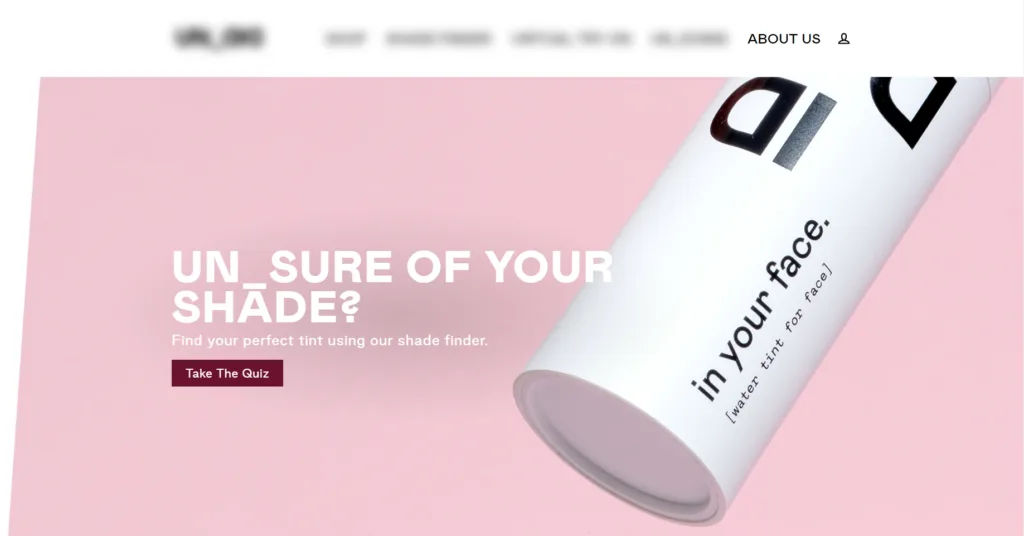
Fig. 03 Homepage hero with the quiz as the primary CTA. Outcome-led copy ("Get your personalised skincare routine") consistently outperforms tool-led copy ("Take our quiz") on click-through.
The banner should be specific about the outcome: not “Take our quiz” but “Get your personalised skincare routine.” Outcome-led copy outperforms tool-led copy on every click-through metric, which mirrors the same outcome-first principle that drives quiz-name CTR.
Warm-traffic channels: the audience that already trusts you
The visitors most likely to take a quiz are the ones who already know your brand: existing email subscribers, blog readers who arrived via search, customers your team is corresponding with. Three placements that activate that warm audience without any paid spend.
Email broadcast to subscribers
Email your existing list with a dedicated quiz invitation, then keep referencing the quiz in your standard newsletter cadence. Your subscribers are the warmest audience you have, and subscribers who complete the quiz retroactively enrich their Klaviyo profile with the structured preference data, which makes every future segmented campaign perform better. 71% of top-converting quizzes collect email as part of the flow, and 75% of those make email required (RevenueHunt platform data). For the activation chain, see how Klaviyo segmentation unlocks once zero-party data lands in profiles.
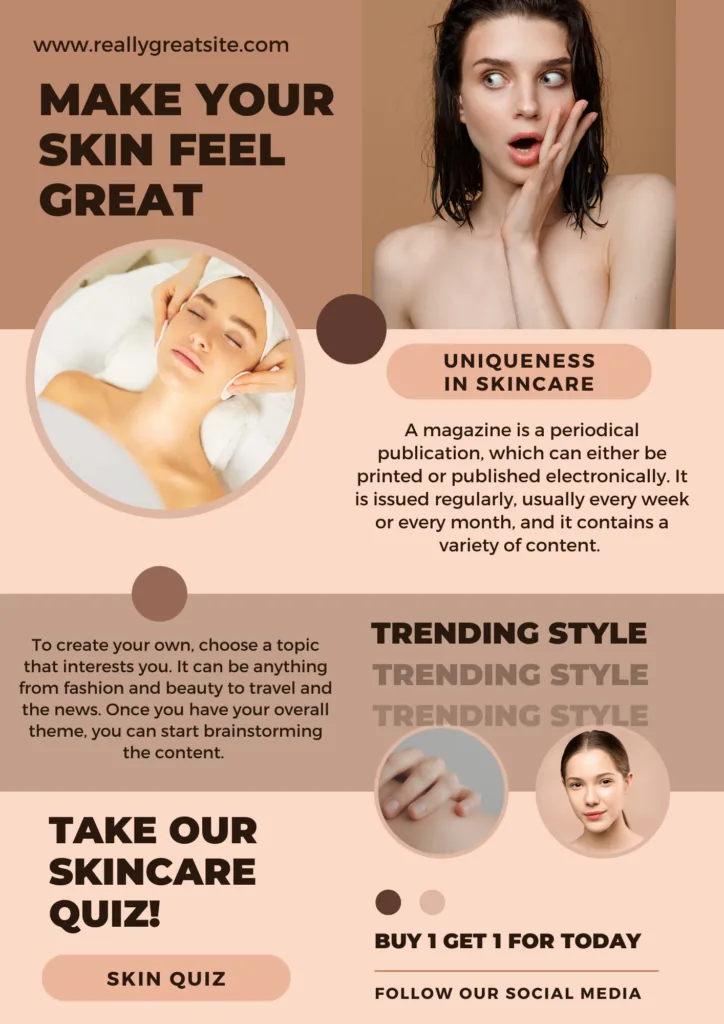
Fig. 04 A dedicated newsletter introducing the quiz with the personalised-result outcome above the fold. Subject-line specificity ("Find your shade in 5 questions") outperforms novelty.
The subject-line pattern that consistently performs: “Your personalised routine (60-second quiz)” or “Find your shade in 5 questions.” Specificity beats novelty.
Blog post embeds
If you publish blog content for SEO, the quiz can be embedded directly into relevant posts. A skincare brand’s post on “best routine for combination skin” naturally ends with a quiz CTA: “Not sure if your skin is combination? Take our skin type quiz to find out.” The quiz here doubles as a conversion mechanism on content that was already pulling in organic traffic.
The mechanic catches readers at a moment of high intent: they arrived via search, they’re already in the consideration phase, and the quiz gives them the confident next step. The underlying value exchange (preference data in return for a personalised recommendation) is what makes this work. For the data category behind the recommendation, see our zero-party data guide.
Email signature
A simple, persistent placement that compounds over time. Add a single line to every outgoing email from your team’s signature: “Find your perfect routine in 60 seconds: yourstore.com/quiz” with a styled button link.
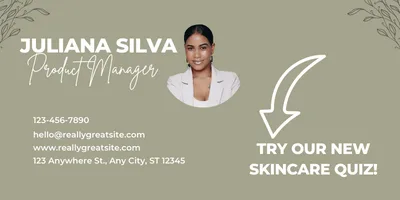
Fig. 05 Quiz invitation as a single line in every outgoing email from the team. Compounds without incremental effort, particularly effective for high-touch CS teams where every support reply doubles as a soft invitation.
This works particularly well for brands with high-touch customer service: every support reply doubles as a soft quiz invitation. Customer-service teams across hundreds of stores send a sizeable volume of emails per week; the cumulative exposure compounds without any incremental work.
Earned reach: organic distribution that compounds
Channels where the audience belongs to someone else (a creator, a community, a social network) but where the quiz can earn attention if it produces a result worth sharing. Three placements that scale with the strength of the quiz outcome, not with budget.
Social media posts
The fastest way to reach a large audience without paying for distribution. Post about the quiz on Instagram, TikTok, Facebook and X with a direct link, use category-relevant hashtags, and treat the quiz as the content you’re sharing rather than as the call-to-action of a different post.
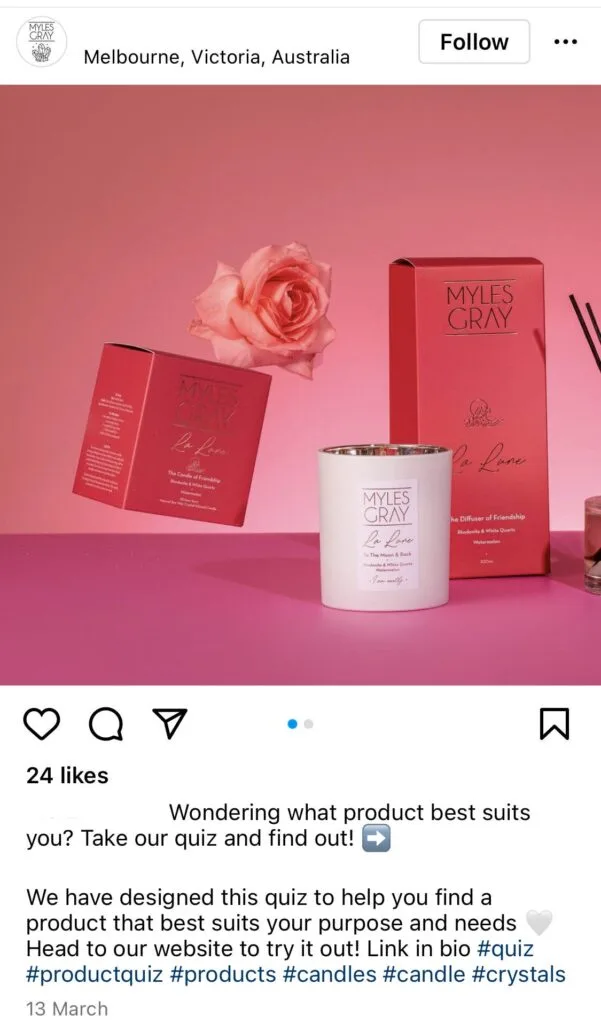
Fig. 06 A category-relevant social post inviting followers to take the quiz directly. Direct-link sharing matters: the quiz has to be one click away from the social profile.
Short-form video (Reels, TikToks) showing the quiz flow itself, especially the results moment, consistently outperforms static screenshots. The customer sees what the experience looks like before committing. Direct-link sharing matters: the quiz needs to be reachable via a single click from a social profile. See how to publish a direct link to your quiz.
Creator and influencer collaborations
If you work with creators or influencers in your category, the quiz is a natural fit for collaborative content. The creator’s audience trusts their recommendations; the quiz lets that audience take a personalised step that the creator can’t deliver in a 30-second video.
Creator partnerships work best when the quiz produces a genuinely interesting result the creator can actually share or react to on camera. A skin-type finder where the creator films their own quiz run and the resulting routine has more pull than a generic “take our quiz” post.
To make creator promotions measurable, give each partner a unique UTM-tagged link (e.g. utm_source=influencer&utm_medium=social&utm_campaign=quiz&utm_content=@handle) and a dedicated landing page. Track reach, clicks, quiz starts, quiz completions, and the AOV on quiz-attributed orders versus your paid social baseline. If creator-attributed quiz completions convert at meaningfully higher rates than paid social, that’s the signal to scale.
Community and forum sharing
If you participate in category-relevant Reddit threads, Facebook groups, Discord servers or industry forums, the quiz can be shared as a useful resource rather than a hard pitch. “I built a quiz to help people figure out their skin type, happy to share if useful” converts better in community contexts than a direct product link.
This works best when the quiz genuinely solves a problem the community has been discussing and the result feels useful, not promotional. Forced promotion breaks the trust contract; useful contribution builds it. The quizzes that perform best in community sharing are the ones that produce a result the community member would actually share onward (skin type, shade match, personality archetype, fitness goal cluster), not a product pitch.
Conversion-lift mechanics: layered on top of placements
These aren’t placements per se. They’re mechanics that multiply the conversion rate of every other channel above. Use them alongside placements, not instead of them.
Discount on the welcome and results pages
A discount displayed on the quiz results page is the most direct way to incentivise both completion and conversion. The cost is a one-time margin hit; the benefit is a quiz-attributed first order, an enriched customer profile, and the start of a personalised retention sequence.
A useful refinement: tease the discount on the welcome slide as well, not only on the results page. The tease frames the value exchange before the customer has invested any time, which lifts both quiz start rate and completion rate. For the full discount-placement playbook (4 placements ranked by impact, including the welcome-slide tease and Shopify Legacy’s tiered discount mechanic), see product quiz discounts: the conversion playbook. For setup instructions, see how to add a discount inside the quiz.
For premium or luxury brands, a dollar-amount discount (“$15 off your first order”) tends to convert better than a percentage; for lower-AOV products, percentage discounts perform better. Test both.
Contest or giveaway tied to quiz completion
A contest that requires quiz completion as the entry mechanism doubles as a data-collection engine. Announce the contest across social and email, gate entry behind the quiz, and time the contest window to your highest-leverage promotional moment (product launch, BFCM, gift-buying season).
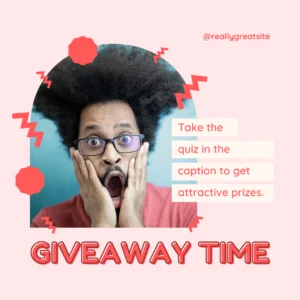
Fig. 07 A giveaway gated behind quiz completion. The contest produces a spike in segmented leads; the data enrichment compounds for weeks after the winner is announced.
The compounding benefit beyond the contest itself: every quiz completion enriches a customer profile that powers segmented retention for months after the contest ends. The winner gets a one-time prize; you get a permanent data asset. Across the platform, 1 in 5 quiz-attributed orders lands more than 30 days after the quiz (benchmark report), which means the contest’s enrichment effect compounds for weeks after the winners are announced.
Where to start
If you’re running paid traffic of any kind, paid ads to a dedicated quiz landing page is the first placement to set up. It’s the single biggest lift in the playbook and the case study above (9.8% conversion on cold Meta traffic, $691K in 90 days) is the worked example of what’s possible.
If you’re not running paid traffic, start with the auto-triggered popup (3-5 second delay) on your existing organic traffic. It’s the highest-leverage on-site placement and takes under 15 minutes to configure.
The compounding stack worth running together:
- Paid ads to a quiz landing page (if you’re running paid traffic)
- Auto-popup with 3-5s delay (on existing organic traffic)
- Nav menu link + homepage banner (visibility for returning visitors)
- Email broadcast to your existing list (warmest audience)
Those four placements together consistently produce a 5-10x increase in quiz starts relative to a quiz buried on a hidden page. Layer the conversion-lift mechanics (discount on welcome + results, contest/giveaway) on top of any of them.
For 11 real ecommerce funnels that put these placements into practice, see our 11 ecommerce sales funnel examples roundup.
Frequently asked questions
Which quiz promotion placement should I start with?
If you’re running paid traffic on Meta, Google or TikTok, start with paid ads to a dedicated quiz landing page — RevenueHunt platform data puts the lift at approximately 2.75x the rate of cold traffic landing on a category page, and the anti-ageing beauty device case study delivered 9.8% cold-traffic conversion and $691K in 90 days on the same architecture. If you’re not running paid traffic, start with the auto-triggered popup (3-5 second delay) on existing organic traffic — it’s the most effective single placement for quiz starts per RevenueHunt customer-success data. Pair either starter with a nav menu link, a homepage banner, and an email broadcast for the top-4 combination that consistently produces a 5-10x lift in quiz starts.
Does paid traffic actually convert better on a quiz landing page than on a category page?
Yes, and the gap is structural rather than incremental. RevenueHunt platform data puts the lift at approximately 2.75x the conversion rate of cold traffic landing on a category page. The mechanism: cold paid traffic faces decision fatigue on a 40-SKU catalogue and bounces; the same traffic on a quiz landing page is given a clear next action (answer five questions, get a recommendation), which resolves the decision-fatigue problem before asking for the purchase. The anti-ageing beauty device case study pushed that lift to 9.8% cold-traffic conversion on a $130 device, with a +42.64% AOV improvement quarter over quarter.
How long until quiz promotion placements compound into measurable revenue?
The first revenue lift is visible within the first 30 days once placements are live and traffic is flowing. The compounding effect comes from the data captured on every quiz completion: 1 in 5 quiz-attributed orders lands more than 30 days after the quiz across the RevenueHunt platform, which means the placements you set up today keep converting through Klaviyo flows and ads retargeting for months. Most stores running 4+ placements see meaningful per-segment revenue differences in Klaviyo by day 60-90.
Should I gate the quiz behind email capture to grow my list?
It depends on the industry. Email gating (required before results) costs roughly 10 percentage points of completion rate but captures close to 100% of finishers as emails. RevenueHunt platform data shows the gate works in consultative high-AOV categories (Skincare, Supplements, Haircare, Cosmetics) where the customer expects to pay friction in advance for the recommendation. In impulse categories (Fashion, Food/Drink, Pets), top performers do not gate. The cross-platform median: optional email (asked but skippable) outperforms gated on revenue per completion ($7.77 vs $6.06). For the full email-strategy breakdown, see product quiz mistakes ranked by industry data.
Install RevenueHunt: Recommender Quiz for Shopify and the quiz is live in your store the same day. Free plan available.
Free tools & data
Put these benchmarks to work on your own store.
Free tool
Quiz ROI calculator
Estimate the extra revenue and ROI a product recommendation quiz could add to your store. Built on real data, no email required.
Calculate your ROIFree report
Ecommerce quiz benchmark report
How product recommendation quizzes really perform: conversion by category, AOV uplift, and completion, from 45M+ real quiz responses.
Read the report
Most shoppers leave because they can't find the right product