
Marketing consent in a product quiz
When, how and whether to require email-marketing consent inside a product quiz: 6 design strategies that lift conversion without breaking GDPR or CCPA.
The way you ask for marketing and data-processing consent inside a lead generation quiz directly shapes three things at once: your completion rate, the quality of the leads you capture, and your GDPR / CCPA compliance posture. The platform data is clear that required-email quizzes outperform optional-email ones (71% of top-converting quizzes collect email, and 75% of those make it required), but how you ask matters as much as whether you ask. This guide covers when to place the consent question, whether to make it mandatory, and six concrete design strategies that lift the consent rate without deterring users.
What you'll learn
- 01When to place the consent question (start of quiz vs end) and how the placement affects completion rate and lead quality.
- 02Whether to make email capture mandatory or optional, and what the platform data says about the trade-off.
- 03Six concrete strategies for how to ask, with example wording and product screenshots.
- 04GDPR and CCPA compliance considerations specific to quiz-based data capture.
For the underlying data category, see our zero-party data guide: declared preferences captured inside a quiz are the cleanest privacy-compliant signal you can collect. For the broader quiz foundations, see how to build a successful product recommendation quiz.
Table of contents:
- First, consider when to ask
- Next, decide whether it should be optional or mandatory
- Then, decide how to ask for consent
- GDPR and CCPA compliance basics
- How customer tags compound on the consent decision
- Frequently asked questions
- Key takeaways
First, consider when to ask
Asking for email or phone consent should feel like a natural part of the quiz flow, not an interruption. Two placement options work; both meaningfully affect completion rate and lead quality.
Before the quiz begins
Start with a friendly welcome message that explains the benefits of taking the quiz. Mention that by providing consent, users will receive personalised recommendations and exclusive offers.
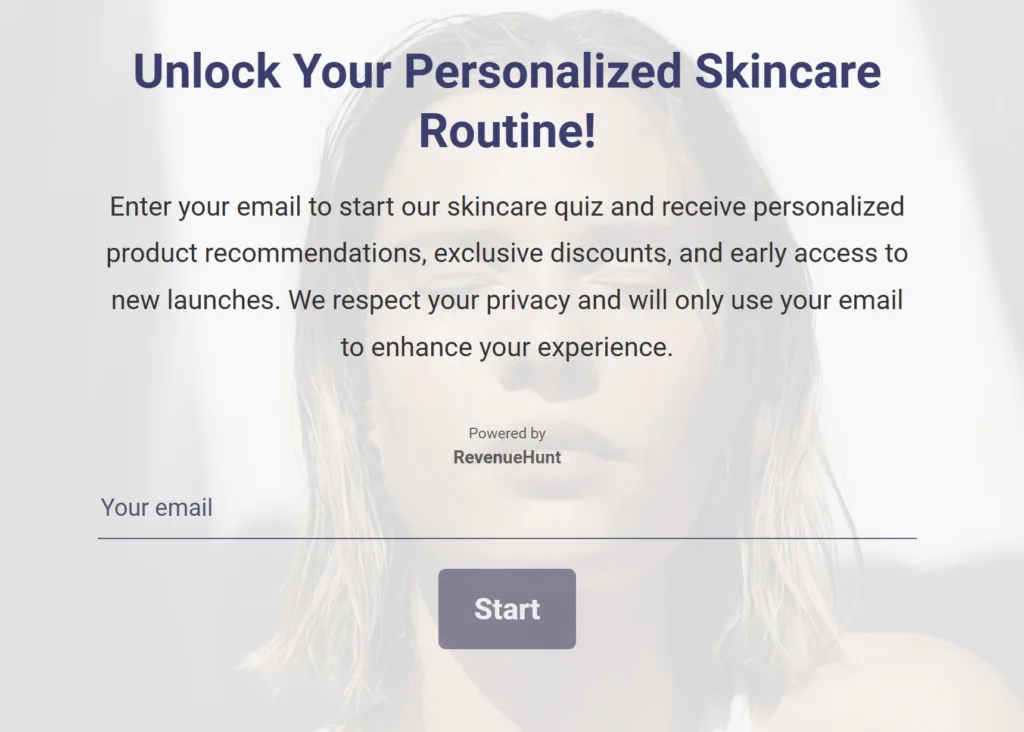
Fig. 01 Consent asked before the quiz begins. Lower completion overall, but filters out shoppers who aren't ready to share their email. Better fit for luxury or unique-product stores where lead quality matters more than volume.
Asking for consent before the quiz starts leads to lower quiz completions and higher drop-off at the beginning, but produces higher-quality leads and filters out shoppers who aren’t genuinely interested. This approach is better for merchants selling unique or luxury items where lead quality matters more than lead volume.
At the end
At a strategic point (typically just before the results page) include the consent request. Frame it as a question about communication preferences. This creates a sunk-cost effect: the customer has invested time in the quiz, so they’re more likely to provide their email to see the recommendation.
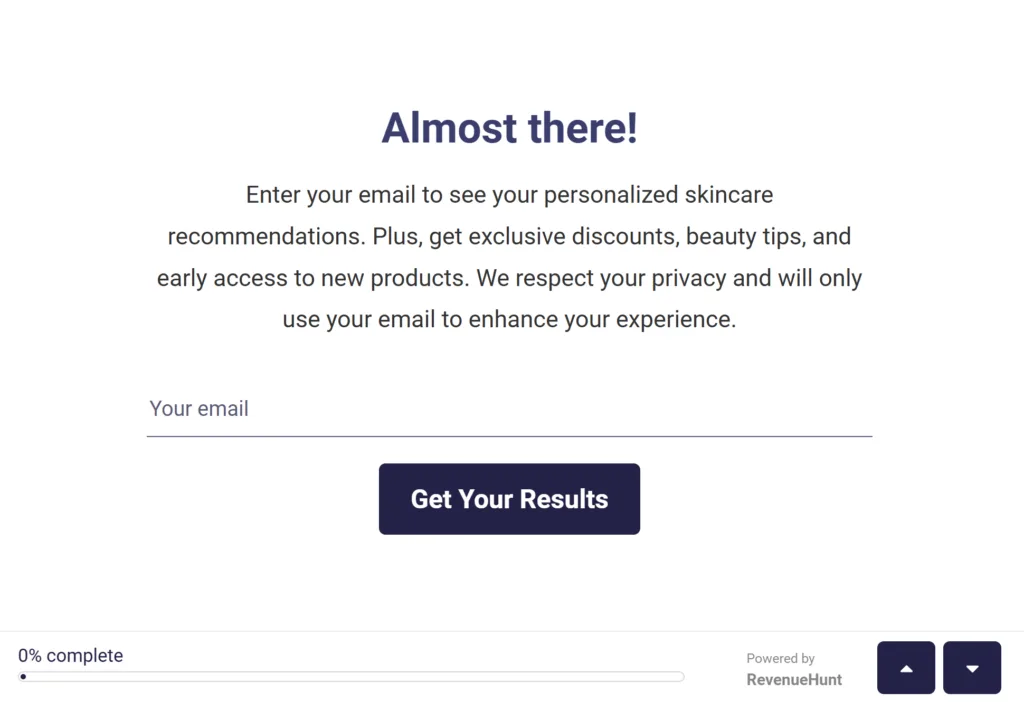
Fig. 02 Consent asked at the end of the quiz, just before the results page. Higher completion (customer is already invested) and a sunk-cost effect that lifts opt-in. Better fit for routine-based or lower-AOV catalogues.
Asking for consent at the end of the quiz leads to lower drop-off at this point since the customer is already invested in the experience. This produces higher completion rates and, downstream, higher conversions and upselling success. This approach is better for merchants selling lower-AOV products or routine-based catalogues.
Avoid asking for email or marketing consent mid-quiz: it interrupts the flow without the benefits of either pre-quiz filtering or post-quiz commitment, and consistently inflates drop-off rates without a corresponding lift in lead quality.
Next, decide whether it should be optional or mandatory
Whether the email or phone field is mandatory or optional has the largest single effect on the trade-off between lead volume and lead quality.
Mandatory
Making consent mandatory ensures every quiz-completer leaves contact information. Counter-intuitively, this is also the higher-converting configuration overall: platform data across 20,000+ stores shows 71% of top-converting quizzes collect email as part of the flow, and 75% of those make the email field required, not optional (benchmark report).
The reason: customers who would skip an optional email field are usually the same customers who wouldn’t have bought either. Making the field required filters those signal-low responses out at capture time, leaving you with a list of leads who actively wanted the recommendation enough to give an email for it. Klaviyo-integrated required-email quizzes consistently outperform optional-email quizzes on revenue per recipient downstream.
| Pros | Cons |
|---|---|
| Matches the platform's highest-converting configuration (71% / 75% above). | Slightly increases drop-off at the email question itself. |
| Filters out less engaged users, so captured leads are higher quality on average. | May include a small percentage of fake or throwaway email addresses (which Klaviyo will surface as bounces and let you suppress). |
| Higher revenue per recipient on downstream Klaviyo flows. | Some users may feel the requirement is intrusive and bounce before reaching the email step. |
Optional
Making the consent field optional creates a more permissive experience, encouraging the broadest possible completion rate. The trade-off is that you capture fewer emails and the average email you do capture comes from a less-committed customer.
| Pros | Cons |
|---|---|
| Higher quiz completion rates overall. | Lower volume of captured emails. |
| Users feel less pressured, which can produce a more positive brand impression. | Often requires layering an incentive (discount, exclusive content) to lift the opt-in rate. |
Tip
In the RevenueHunt: Recommender Quiz for Shopify, you can mark any quiz question as mandatory or optional in question settings.
Then, decide how to ask for consent
Clear, honest communication is what earns the consent. Six concrete strategies, in roughly the order they affect opt-in rate:
Use friendly and transparent wording
Simplify your message and avoid legal jargon. Highlight the value the customer receives in exchange (exclusive content, discounts, early access). Yes/no framing is straightforward and reduces friction.
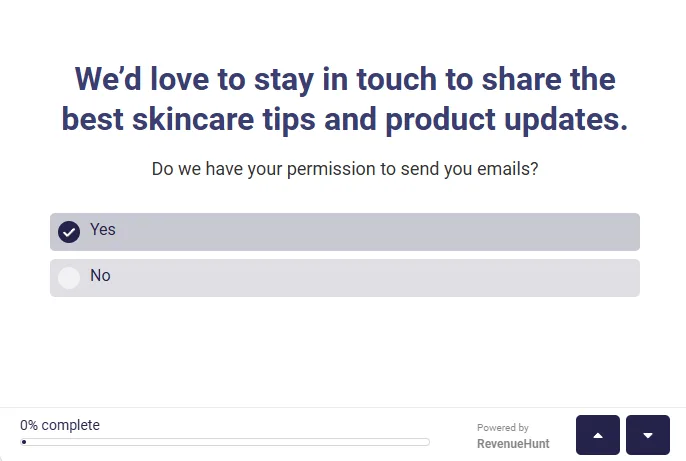
Fig. 03 Strategy 1: friendly, plain-language wording with a clear yes/no choice. No legal jargon, value stated upfront, single decision the customer can make in two seconds.
Tip
Use a GDPR/Yes-No Question type to easily ask for consent in the RevenueHunt: Recommender Quiz for Shopify.
Example wording:
- “We’d love to stay in touch to share the best skincare tips and product updates. Do we have your permission to send you emails?”
- “Get the most out of our recommendations. Sign up for our newsletter to receive special offers and expert advice.”
- “Do you agree to receive our personalised product recommendations and updates? Yes / No.”
Link to your privacy policy
Make the privacy policy easily accessible to add transparency and reassure users about how their data will be handled. A single linked phrase below the consent question is enough.
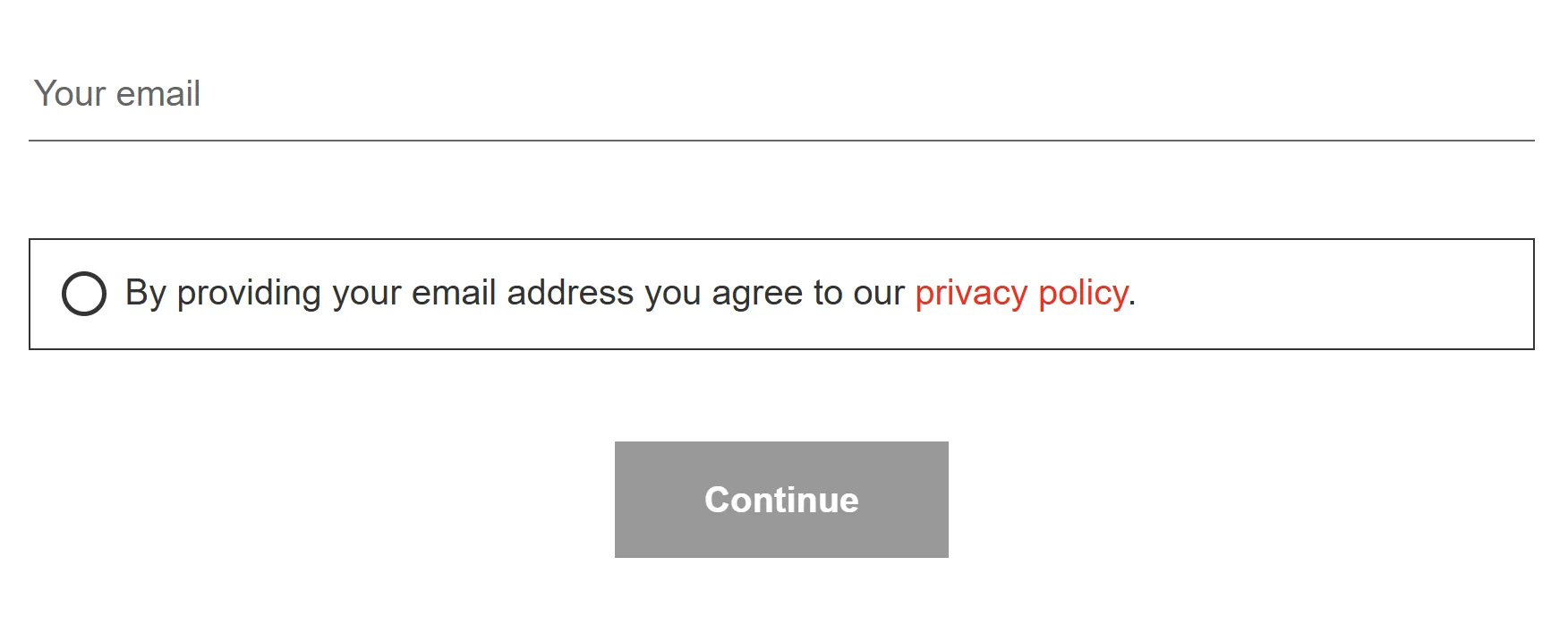
Fig. 04 Strategy 2: a linked privacy policy directly under the consent question. Satisfies the GDPR "informed" pillar and tends to reduce hesitation in EU markets.
Tip
Link to your privacy policy in any text element via Markdown, or add a marketing checkmark to any slide.
Example wording: “By providing your email address you agree to our privacy policy.”
Design choices matter
The visual design of the consent question affects opt-in rate more than the wording does. Use visual cues like checkboxes, toggle switches, clickable icons or buttons that change colour on click. Ensure tap targets are mobile-friendly (most quiz traffic is mobile).
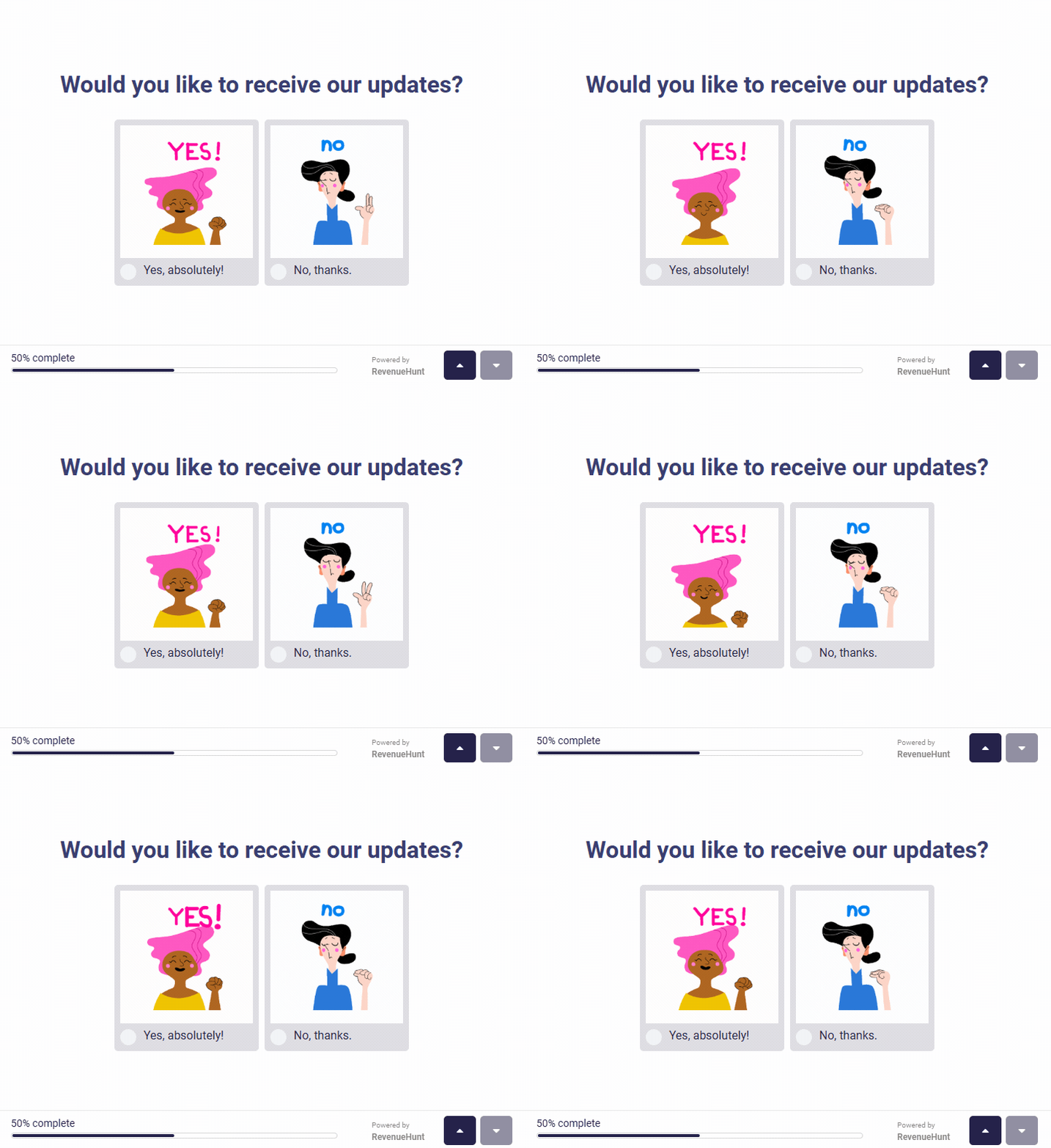
Fig. 05 Visual design choices (clickable heart icons here) move the opt-in rate more than wording does. Mobile-friendly tap targets are essential; most quiz traffic is mobile.
Position the consent question at an engaging moment rather than as a bolted-on interruption.
Tip
Use a Picture Question to add animated GIFs as quiz choices in the RevenueHunt: Recommender Quiz for Shopify.
Example wording:
- “Want to receive our updates? Click the heart to say yes.”
- “Would you like our recommendations by email? Yes please / No thanks.”
Offer a clear opt-out option
Respecting user choice is essential, and it’s also a hard GDPR requirement. Always provide an easy way to opt out. Reassure users that they can still complete the quiz and receive the recommendation even if they choose not to opt in.
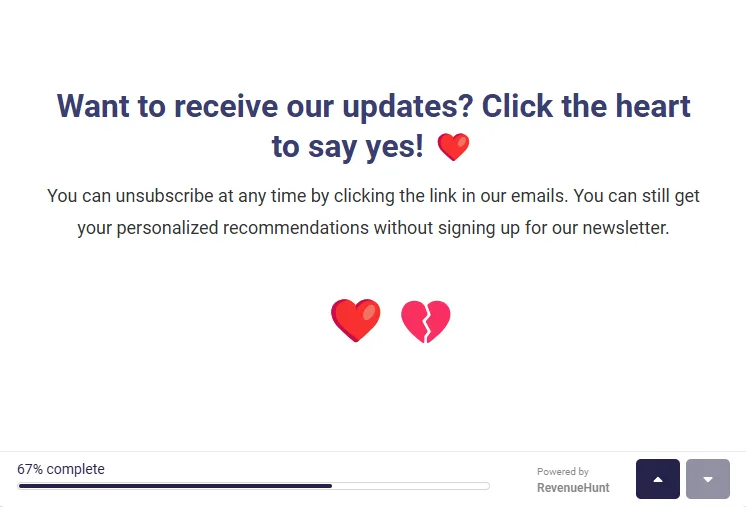
Fig. 06 Strategy 4: visually equivalent yes and no buttons with nothing pre-selected. A hard GDPR requirement (Article 7(3)) and a trust signal regardless of jurisdiction.
Tip
Add explanatory text under any consent question via a question description in the RevenueHunt: Recommender Quiz for Shopify.
Example wording: “You can unsubscribe at any time by clicking the link in our emails. You’ll still get your personalised recommendations without signing up for the newsletter.”
Reward the consent with an immediate incentive
Offering a discount code, free sample or exclusive content in exchange for consent measurably increases the opt-in rate. The customer feels the exchange is reciprocal rather than extractive.
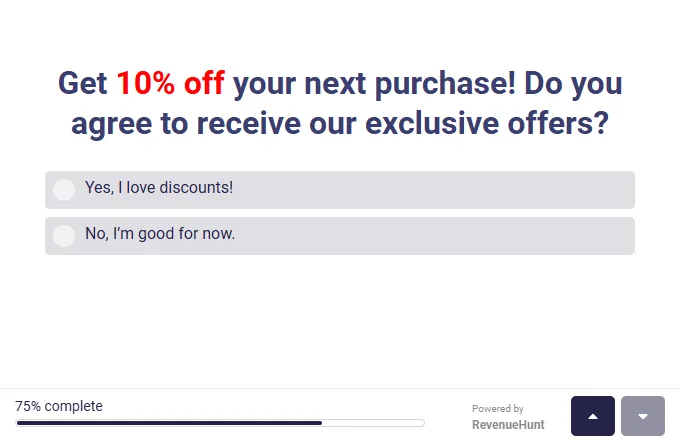
Fig. 07 Strategy 5: an immediate incentive paired with the consent ask. The exchange feels reciprocal rather than extractive; the opt-in rate consistently moves up when an incentive is on-screen.
Tip
For the full discount playbook (placement, percentage vs fixed amount, platform-specific setup), see our product quiz discounts guide.
Example wording: “Get 10% off your next order. Do you agree to receive our exclusive offers? Yes, I love discounts / No thanks.”
Build trust through transparency
Be explicit about what the data will be used for. A one-line explanation of “why we’re asking” measurably reduces hesitation at the consent moment, particularly in privacy-conscious EU markets.
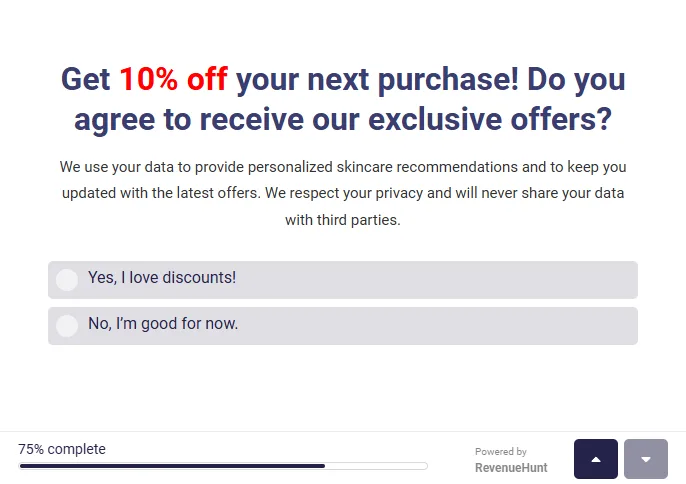
Fig. 08 Strategy 6: a one-line explanation of why the data is being asked for. Reduces hesitation, particularly in privacy-conscious EU markets.
Example wording: “We use your data to provide personalised recommendations and the occasional product update. We respect your privacy and will never share your data with third parties.”
GDPR and CCPA compliance basics
Marketing-consent design isn’t separable from privacy law. The way you ask, where you ask, and how you record the answer determines whether the resulting list is compliant. This section covers the parts of GDPR and CCPA that meaningfully affect a product-quiz consent moment.
Disclaimer: This is general guidance for ecommerce operators. It is not legal advice. Consult counsel in your jurisdiction before relying on any specific configuration for compliance.
The four GDPR consent pillars
GDPR (and UK GDPR, post-Brexit) require that any consent for marketing communications meets four conditions simultaneously:
- Freely given. The customer must have a real choice. Bundling consent with quiz access (forcing consent to see results) typically fails this test. Pre-checked boxes always fail.
- Specific. Consent for “marketing emails” is one purpose. Sharing data with third parties is a separate purpose that needs its own consent.
- Informed. The customer must know who is collecting the data, what it will be used for, who it will be shared with, and how long it will be retained. A clear privacy-policy link satisfies most of this.
- Unambiguous. A clear affirmative action (clicking Yes, ticking a box). Silence, inactivity, or pre-ticked boxes don’t qualify.
GDPR vs CCPA: how the two regimes differ
GDPR is opt-in by default; CCPA is opt-out by default. Which one governs your quiz depends on where the customer is, not where you are.
| GDPR (EU + UK) | CCPA (California, US) | |
|---|---|---|
| Default state | Opt-in (no marketing without explicit consent) | Opt-out (marketing allowed by default; user can opt out) |
| Pre-checked boxes | Illegal | Allowed for marketing (but not for sale of data) |
| Soft opt-in for existing customers | Yes (limited, similar products only) | n/a (CCPA targets data sale rather than marketing per se) |
| Right to withdraw | Must be as easy as giving consent | Right to opt out of sale/sharing at any time |
| Privacy-policy link required | Yes | Yes |
| Children’s data | Extra protection under 13 (varies, often 16) | Extra protection under 13; opt-in required under 16 |
| Maximum fine | EUR 20M or 4% of global revenue | USD 7,500 per intentional violation |
Common failure modes
These all show up in quiz consent flows and all create compliance risk:
- Pre-checked consent boxes. Universally non-compliant under GDPR; not enforceable under most CCPA interpretations either.
- Bundling consent with quiz access. Forcing the user to opt in to marketing in order to see their recommendation fails the “freely given” pillar.
- Consent that’s hard to withdraw. Article 7(3) GDPR requires withdrawal to be as easy as giving consent. A consent link in the quiz with no equivalent unsubscribe path in subsequent emails fails this.
- No privacy-policy link at the consent moment. Without it, consent can’t be “informed”.
- Bundled purposes. “I agree to marketing emails and data sharing with partners” is two purposes in one click. Each needs its own consent.
- Missing audit trail. GDPR requires you to be able to prove consent was given. Quiz responses need to be stored with a timestamp plus the version of the consent text shown.
Quiz-specific compliance checklist
Run your own quiz consent moment against these eight checks:
- Privacy policy link present at the consent question (not just elsewhere on the site).
- No pre-checked consent boxes.
- Yes and No options are visually equivalent (not styled to nudge the choice).
- Quiz completion works either way (no penalty for opting out).
- Specific purposes stated separately (marketing emails, data sharing, analytics each need their own consent).
- Easy withdrawal path in every marketing email (one-click unsubscribe + clear address).
- Timestamp and consent text version stored with each quiz response (audit trail).
- Children’s data safeguards if your category attracts under-16 customers.
For the Built for Shopify version of the app that handles consent state, timestamping and opt-out propagation to Shopify Customers automatically, see the platform overview. For the specific Quiz Builder GDPR question type that bakes most of this in, see the GDPR / Yes-No question setup docs.
How customer tags compound on the consent decision
Whichever placement and mandatory/optional choice you make, the email captured at the consent moment isn’t a flat address: it arrives in Klaviyo attached to the quiz answers and customer tags. Every Yes-consented profile carries 5 to 10 zero-party data points (skin type, concerns, goals, preferences, budget tier) and a structured set of customer tags that drive segmented downstream flows. Segmented Klaviyo campaigns earn over 3x the revenue per recipient of generic sends (Klaviyo segmentation benchmark), and across the platform 1 in 5 quiz-attributed orders lands more than 30 days after the quiz (benchmark report). That long tail is driven by the segmentation precision the consent moment unlocks.
For the broader funnel mechanics that compound on top of consent and segmentation, see how Klaviyo segmentation unlocks once zero-party data lands in profiles. For the conversion-leaks to avoid elsewhere in the quiz, see product quiz mistakes ranked by industry data. For concrete examples of the zero-party data the consent moment unlocks, see 12 zero-party data examples. For the underlying privacy-data taxonomy that makes zero-party data the cleanest signal post-cookie, see first-party vs third-party data: what is the difference.
Frequently asked questions
Should I make the email question mandatory or optional?
Platform data is clear: mandatory wins overall. 71% of top-converting quizzes collect email as part of the flow, and 75% of those make the field required. Customers who skip an optional email field rarely become buyers anyway. Making the field required filters those signal-low responses out at capture, leaving a list of leads who actively wanted the recommendation enough to give an email for it.
Where in the quiz should the consent question go?
Two placements work: before the quiz (lower completion rate, higher lead quality, better for luxury / unique-product stores) or just before the results page (higher completion rate, lower per-lead quality, better for routine-based or lower-AOV catalogues). Avoid the middle of the quiz, where you get neither benefit. Most stores find the end-of-quiz placement produces the strongest overall revenue.
Is asking for marketing consent inside a quiz GDPR-compliant?
Yes, when implemented correctly. GDPR requires that consent is freely given, specific, informed and unambiguous, which a clearly-worded yes/no question with a privacy policy link and an easy opt-out satisfies. The RevenueHunt: Recommender Quiz for Shopify includes a GDPR / Yes-No question type designed to meet these requirements out of the box. For EU markets specifically, pair this with Shopify Markets integration so the entire quiz (consent question included) renders in the customer’s language.
Does requiring email hurt the customer experience?
Less than most operators assume. The customer is mid-task, already invested in receiving the recommendation, and willingly gives an email in exchange for the value the quiz has built up. The 75% of top performers who require email aren’t seeing brand-damaging drop-off; they’re filtering out low-intent visitors who wouldn’t have converted regardless.
What if a customer opts out but still completes the quiz?
They should still see their recommendation. The opt-out applies to marketing emails, not to the quiz output. RevenueHunt handles this automatically: the customer’s quiz response is captured and the recommendation is shown, but no marketing-email follow-up flow is triggered. The customer’s data is retained for the period required by your privacy policy and discarded thereafter.
What’s the difference between GDPR and CCPA?
GDPR is an opt-in regime: no marketing without explicit consent. CCPA is an opt-out regime: marketing is allowed by default, but the customer can opt out of the sale or sharing of their data at any time. GDPR governs anyone collecting data on EU and UK residents (regardless of where the business is); CCPA governs California residents. Most ecommerce stores serving both markets default to a GDPR-compliant flow because it satisfies both: explicit opt-in is also a clean CCPA posture.
Can I rely on a pre-checked consent box?
No, not under GDPR. The European Court of Justice ruled in Planet49 (2019) that pre-ticked boxes don’t constitute valid consent because there’s no clear affirmative action. Pre-checked boxes are also a weak signal in CCPA contexts even where not strictly illegal, because they tend to fail audits when consumer-rights complaints surface. The safe pattern is an unchecked Yes/No question with the No option as visually prominent as the Yes option.
Key takeaways
Asking for marketing and data-processing consent inside a product recommendation quiz is not a daunting compliance exercise. It’s a design decision that, done well, lifts both your lead volume and your lead quality. Make it required (matches the 71% / 75% platform benchmark for top performers), place it where it fits your catalogue type (start of quiz for luxury, end of quiz for routine-based), and use friendly transparent wording with a clear opt-out and an immediate incentive. Compliance with GDPR and CCPA falls out naturally from doing these things; the conversion lift is the bonus.
Install the RevenueHunt: Recommender Quiz for Shopify and start capturing GDPR-compliant consent on your first quiz response. Free plan available.
Free tools & data
Put these benchmarks to work on your own store.
Free tool
Quiz ROI calculator
Estimate the extra revenue and ROI a product recommendation quiz could add to your store. Built on real data, no email required.
Calculate your ROIFree report
Ecommerce quiz benchmark report
How product recommendation quizzes really perform: conversion by category, AOV uplift, and completion, from 45M+ real quiz responses.
Read the report

Most shoppers leave because they can't find the right product