
Product quiz subscriptions: recommend recurring orders from a quiz
How to recommend subscription products from a RevenueHunt quiz: ReCharge on Shopify, WooCommerce Subscriptions, and the multi-platform workaround.
A subscription is the most valuable kind of customer relationship in ecommerce: predictable revenue, lower CAC payback, and a feedback loop that lets the brand keep matching the offer to the customer over time. The challenge is the first sale. Most shoppers won’t commit to “every month forever” from a catalogue grid, but they’ll commit to it from the results page of a quiz that’s just spent two minutes telling them exactly which product matches their needs.
This guide covers how to wire subscription products into a RevenueHunt quiz funnel, what’s supported natively on which platform, and the workaround for the platforms where direct integration isn’t available yet.
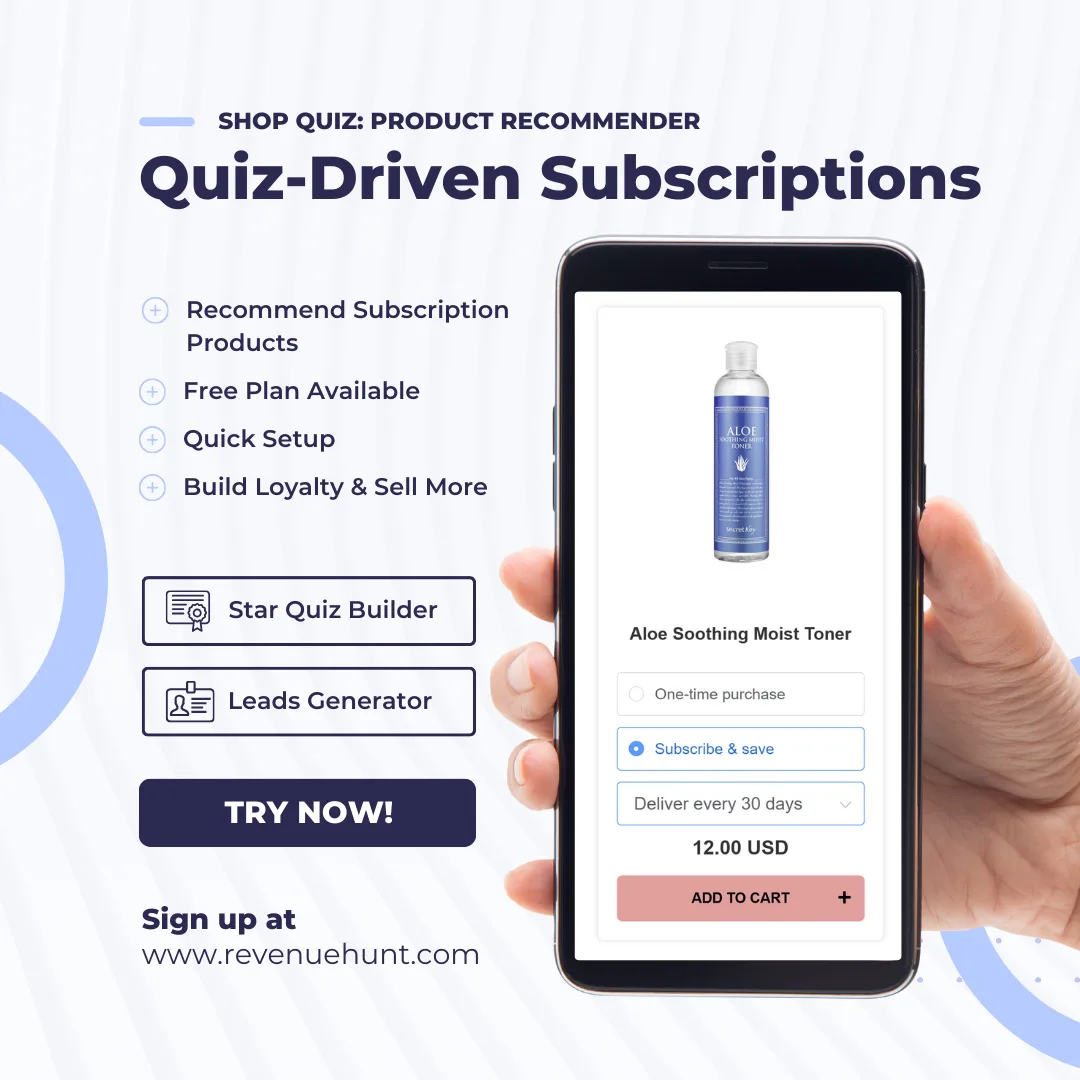
Fig. 01 Subscription-eligible recommendations inside the quiz funnel: the quiz captures the use case (cadence, dosage, taste, fit), maps it to a subscription SKU, and presents the recurring purchase as the default checkout option on the results page.
What you'll learn
- →Why a quiz is the highest-converting entry point to a subscription.
- →Which subscription apps are supported natively on which RevenueHunt platform version.
- →The exact setup paths for Built for Shopify (with ReCharge or Shopify Subscriptions), Shopify Legacy, and WooCommerce.
- →The Link-to-Product workaround for Magento, BigCommerce, Standalone and unsupported subscription apps.
- →Three subscription-quiz patterns that consistently convert: replenishment cadence, goal-based stack, and taste-profile evolution.
Why a quiz is the right entry to a subscription
Subscriptions fail when the first month’s box doesn’t match the customer’s actual need. A static “build your subscription” page asks the customer to pick the cadence and stack themselves, which is the same decision-fatigue problem a long catalogue creates. A quiz resolves both decisions in the same flow: the recommendation and the commitment to recurring delivery, framed as a single confident choice.
A second compounding benefit is what happens after the first delivery. Every quiz answer attaches to the customer record as zero-party data. The brand can re-quiz at any reorder cycle (skin changed, taste evolved, life-stage shifted) and adjust the subscription in real time. That’s what turns a 3-month churn pattern into 18-month retention. For the strategic pillar this connects to (why popups are walls and quizzes are doors, quiz funnels vs collection pages) and a worked subscription-adjacent example (anti-ageing device case study with 9.8% CVR on cold Meta traffic feeding a Klaviyo-segmented retention loop), see the cluster.
Why subscriptions compound for quiz-led brands
5.5%
of shoppers who finish a quiz place an order, about 1 in 18, 2.75x a typical 2% store (RevenueHunt benchmark, 45M+ responses)
+11-15%
within-store AOV uplift on quiz orders, holding in roughly 7 in 10 stores. The routine recommendation drives the basket; the subscription drives the LTV.
1 in 5
quiz-attributed orders land more than 30 days later, so the segmentation layer keeps the subscription relevant over months
Platform support at a glance
Subscription support varies by RevenueHunt version. Native integration means the subscription option lives on the quiz results page; workaround means the quiz routes shoppers to a product page where they pick the subscription option there.
Built for Shopify: subscriptions on the results page
On the Built for Shopify version of the app, the subscription option lives directly on the Results Page as part of the Product Block layout. ReCharge (Pro plan) is supported and Shopify Subscriptions is rolling out.
Before you start (ReCharge only)
- You need ReCharge Plus to access the Storefront API.
- ReCharge has to be configured per ReCharge’s docs.
- Add the ReCharge Storefront API script to your Shopify theme: Online Store > Themes > Edit Code >
layout/theme.liquid, insert the Storefront API script in the header, save.
Add the Subscription component to the Results Page
- Open the quiz’s Results Page.
- Select the Product Block and open its settings.
- Under Product components layout, find Subscription and add it to the layout.
- Under Subscription, pick the subscription app (ReCharge or Shopify Subscriptions).
- Save with the top-right Save button.
- Publish the quiz on a real page (not the preview; preview doesn’t render subscription options) and run through to the results page to confirm the subscription option appears, can be added to cart, and lands correctly at checkout.
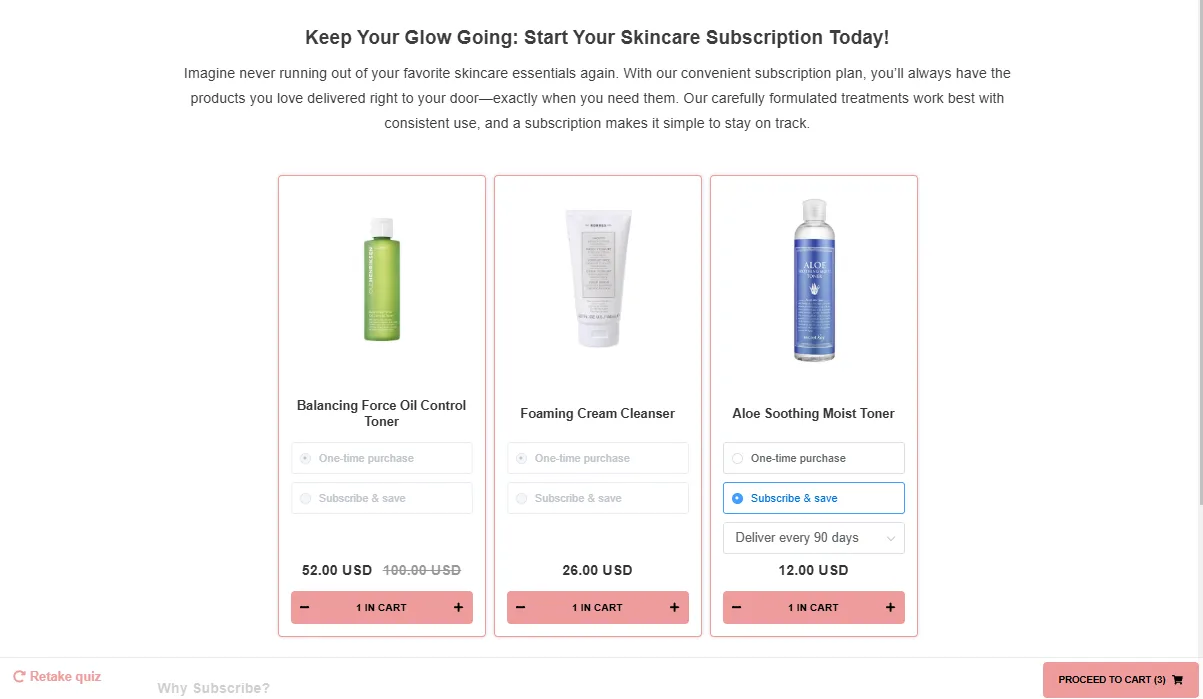
Fig. 02 The results page rendering the subscription option alongside one-time purchase. The shopper picks the cadence on this page; the choice carries through to cart and checkout without a second decision step.
Shopify Legacy: ReCharge via the Connect tab
- In RevenueHunt, open the Connect tab and scroll to the ReCharge section. Click Connect.
- Run a catalogue sync from Dashboard > Success Checklist. The sync can take 30-60 minutes to complete.
- In Link Products, attach the ReCharge subscription products to the relevant quiz choices.
- Click Publish to push the changes to the live quiz.
Known limitations on Shopify Legacy + ReCharge:
- No “add all to cart” button: each subscription has to be added separately.
- Subscription duration is picked on the results page; you can’t pre-select it server-side.
- Shoppers go to cart first, not direct to checkout. Configurable in checkout settings.
- Only the new Shopify Checkout is supported; the old ReCharge Checkout isn’t. ReCharge’s migration guide covers the move.
WooCommerce: auto-sync from WooCommerce Subscriptions
If you’re using WooCommerce Subscriptions, the products auto-sync into RevenueHunt the moment the plugin is installed. They appear under Link Products in the Quiz Builder, identical to any other product.
If you don’t see your subscription SKUs, trigger a catalogue sync from the dashboard.
Fig. 03 ReCharge connected to WooCommerce, with the catalogue sync surface visible. If quiz-recommended subscription SKUs don't appear in the results, trigger a manual catalogue sync from this dashboard before debugging anything else.
The multi-platform workaround
For Magento, BigCommerce, Standalone, and for any subscription app that isn’t natively integrated yet, the same workaround applies. The quiz routes the shopper to the product page where the subscription option lives, instead of dropping the SKU directly into cart.
Step 1: create one-time-payment placeholders for your subscription products. For each subscription SKU you want the quiz to recommend, create a parallel one-time-purchase product. The one-time SKU becomes the placeholder the quiz attaches to its choices.
Step 2: link the placeholders. In Link Products, attach the one-time placeholders to the quiz choices (or set them up as Fixed Recommendations on the Results Page).
Step 3: switch the results-page action to Link-to-Product. Open the Results Page > Product Block settings > Product Components Layout, remove the Add to Cart button, and add Link to Product instead. Shoppers now land on the product page, where the subscription option (managed by whichever app you use) handles the cadence pick.
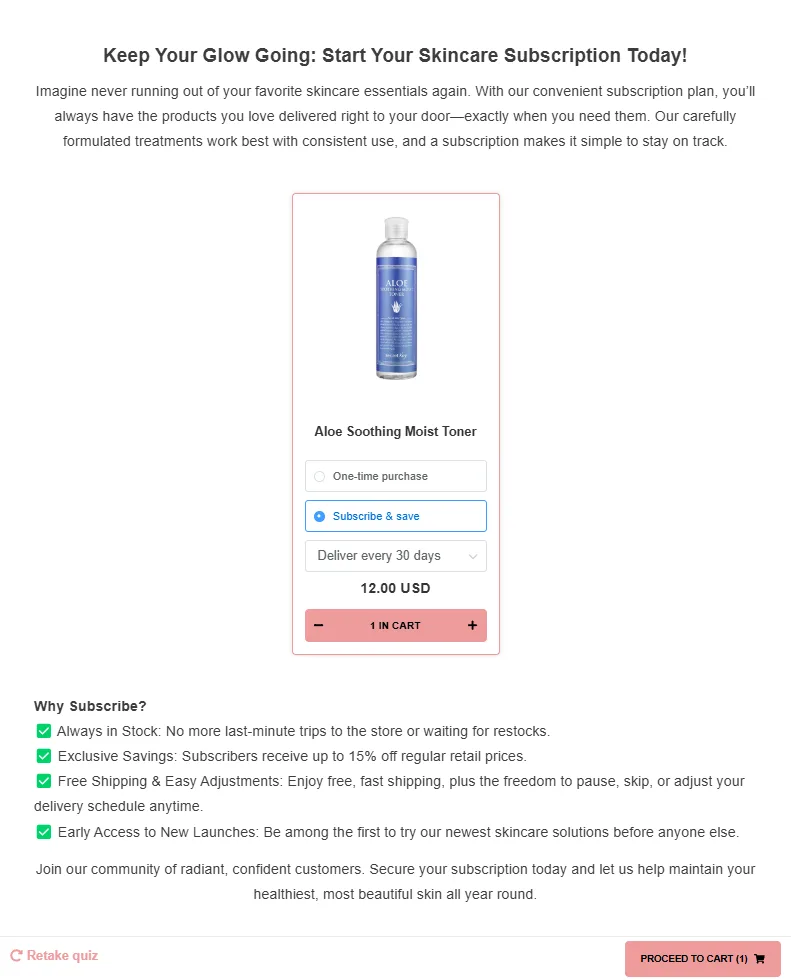
Fig. 04 The Link-to-Product workaround: instead of an Add-to-Cart on the results page, the quiz routes the shopper to the actual product page where the subscription widget already lives. Used on platforms where direct subscription integration isn't natively supported yet.
The trade-off is real: one extra page between recommendation and conversion. It’s still significantly better than expecting shoppers to discover subscription products through a catalogue grid.
Three subscription-quiz patterns that convert
The quiz design is what determines whether subscriptions actually land. Three patterns work consistently across verticals. Birchbox, Trade Coffee and Stitch Fix are all variants on these mechanics, broken down in ecommerce sales funnel examples.
1. Replenishment cadence
Ask how the shopper currently uses the product, infer the refill window, recommend the matching subscription frequency. “I use a face moisturiser every morning” → 6-week refill. “I drink coffee every day, two cups” → bi-weekly. The quiz does the cadence maths the customer would otherwise skip.
Best for: supplements, coffee and tea, skincare staples.
2. Goal-based stack
Ask about the outcome, recommend a multi-product subscription stack that addresses it as a routine. “Improve sleep” → magnesium + ashwagandha + topical magnesium lotion, all on the same cadence. This is the routine builder pattern, applied to subscription products.
Best for: supplements, fitness gear, multi-step skincare.
3. Taste-profile evolution
Capture taste preferences, recommend the first box, then re-quiz at every renewal to adjust the next box. The brand stops guessing what’s getting old and asks. Skinology’s evolving-formula model (covered in our Skinology case study) is the cleanest worked example.
Best for: coffee, food/snack subscriptions, beauty boxes, anywhere the customer’s preferences shift over time.
FAQ
Which subscription apps work natively with the RevenueHunt quiz?
ReCharge Subscriptions on Built for Shopify (Pro plan) and on Shopify Legacy (Plus plan). WooCommerce Subscriptions on WooCommerce. Shopify Subscriptions is rolling out on Built for Shopify. Other subscription apps work via the Link-to-Product workaround.
What’s the difference between the Built for Shopify and Legacy ReCharge setup?
Built for Shopify exposes a Subscription component inside the Results Page Product Block, so subscriptions are recommended directly on the results page. Shopify Legacy connects ReCharge through the Connect tab and requires a catalogue sync; the shopper picks subscription duration on the results page rather than getting it pre-selected.
Why does ReCharge need a paid plan?
The integration depends on ReCharge’s Storefront API, which is gated to ReCharge Pro / Plus plans depending on the platform version. Without API access the quiz can’t expose live subscription options at the results page.
What if my subscription app isn’t supported yet?
Use the Link-to-Product workaround. Create one-time-purchase placeholders for each subscription SKU, link those to the quiz choices, then change the Results Page action from “Add to Cart” to “Link to Product.” Shoppers land on the product page where the subscription option lives.
When should I add subscriptions to the quiz versus running them separately?
When the catalogue has both one-time SKUs and recurring versions of the same product, having the quiz recommend the subscription cadence inline performs better than splitting them. When subscriptions are a distinct product line with their own narrative, a separate “build your subscription” quiz dedicated to the recurring offer often outperforms a hybrid.
Next steps
- For the recommendation logic options Shopify subscription quizzes typically use: product quiz recommendation systems (the Voting + Slots system pairs particularly well with subscription routines).
- For the data layer behind subscription-segment retention: customer tags in product quizzes and Klaviyo zero-party data.
- For a real worked example of evolving-formula subscriptions: Skinology case study.
- For the full strategy this fits into: build a sales funnel on a Shopify store.
- For the broader retention picture (subscription is strategy #4 of 10): the retention pillar.
- Estimate the lift on your own store: quiz ROI calculator.
- The benchmark report behind every stat in this article: the state of product recommendation quizzes.
Free tools & data
Put these benchmarks to work on your own store.
Free tool
Quiz ROI calculator
Estimate the extra revenue and ROI a product recommendation quiz could add to your store. Built on real data, no email required.
Calculate your ROIFree report
Ecommerce quiz benchmark report
How product recommendation quizzes really perform: conversion by category, AOV uplift, and completion, from 45M+ real quiz responses.
Read the report
Most shoppers leave because they can't find the right product